Lately I've been recording videos on my GoPro. Here are some quirks I've encountered when recording and editing:
The filesystem
Here's how the filesystem looks like:
SDCARD/
├─ DCIM/
│  ├─ 100GOPRO/
│  │  ├─ GH010194.LRV
│  │  ├─ GH010194.MP4
│  │  ├─ GH010194.THM
│  │  ├─ GS010147.360
│  │  ├─ GS010147.LRV
│  │  ├─ GS010147.THM
│  ├─ .../
The file naming convention is awkward and not easy to parse. Typical files will be in the format GHAABBBB.mp4, GHAABBBB.360 or GLAABBBB.LRV (or G(L|H[0-9]{2}[0-9]{4}) for you regex nerds out there).
AA is the chapter number and BBBB is the video number. GoPro videos are compromised of smaller videos called chapters due to file size constraints.
Because the naming convention isn't particularly great, you can change it to your liking using GoPro Labs. Or you can create a script to do it for you. Many of the scripts I've seen online use Python so I created a Bash script as I did not want the dependency on Python.
The script focuses on organising the videos into folders and also merging the videos (see below) if they are split up.
Merging MP4 videos
The GoPro by default will record videos (chapters) in 4GB files. It makes sense to record in this way to avoid having one massive file which could get corrupted for some unknown reason. It is also possible to modify the chapter size to a custom one by using GoPro Labs.
This will lead to videos being split up into ~6 minute chunks (depending on your settings) which is frustrating to process if you have lengthy videos.
The .mp4 files when recorded, will embed the GPX file (GPS Exchange Format) into the video file. If you're
interested in overlaying statistics on your videos, you'll need to consider preserving the GPX data and
combining the chapters correctly.
Suppose you have 3 chapters and you want to combine them together. Directly combining them with
cat vid1.mp4 vid2.mp4 vid3.mp4 > merged.mp4, will not work as you'll have 3 individual GPX files
embedded in the concatenated video as opposed to one singular large GPX file.
Do not fret, as combining the MP4 files whilst preserving the GPX data is relatively straightforward with mp4-merge. Run the command:
mp4_merge vid1.mp4 vid2.mp4 --out combined.mp4 .
Merging .360 files
The .360 file format is GoPro's proprietary codec for 360 degree videos. Some effort has gone into reverse engineering if you fancy a bedtime story.
If you want to be able to play these spherical videos on YouTube or in a VR headset, you'll first need to export the .360 video into a format that other software can understand, a .mp4 file. I use the desktop GoPro application as it is the easiest way for me. Using the desktop app will also let you set options on your video like the hyp In an ideal world I'd like to just use the CLI, but who knows when that day will come. Once the 360 videos are converted to MP4, you can use mp4_merge to merge the videos together and then upload to YouTube with a VR headset.
Adding GPX overlays to videos
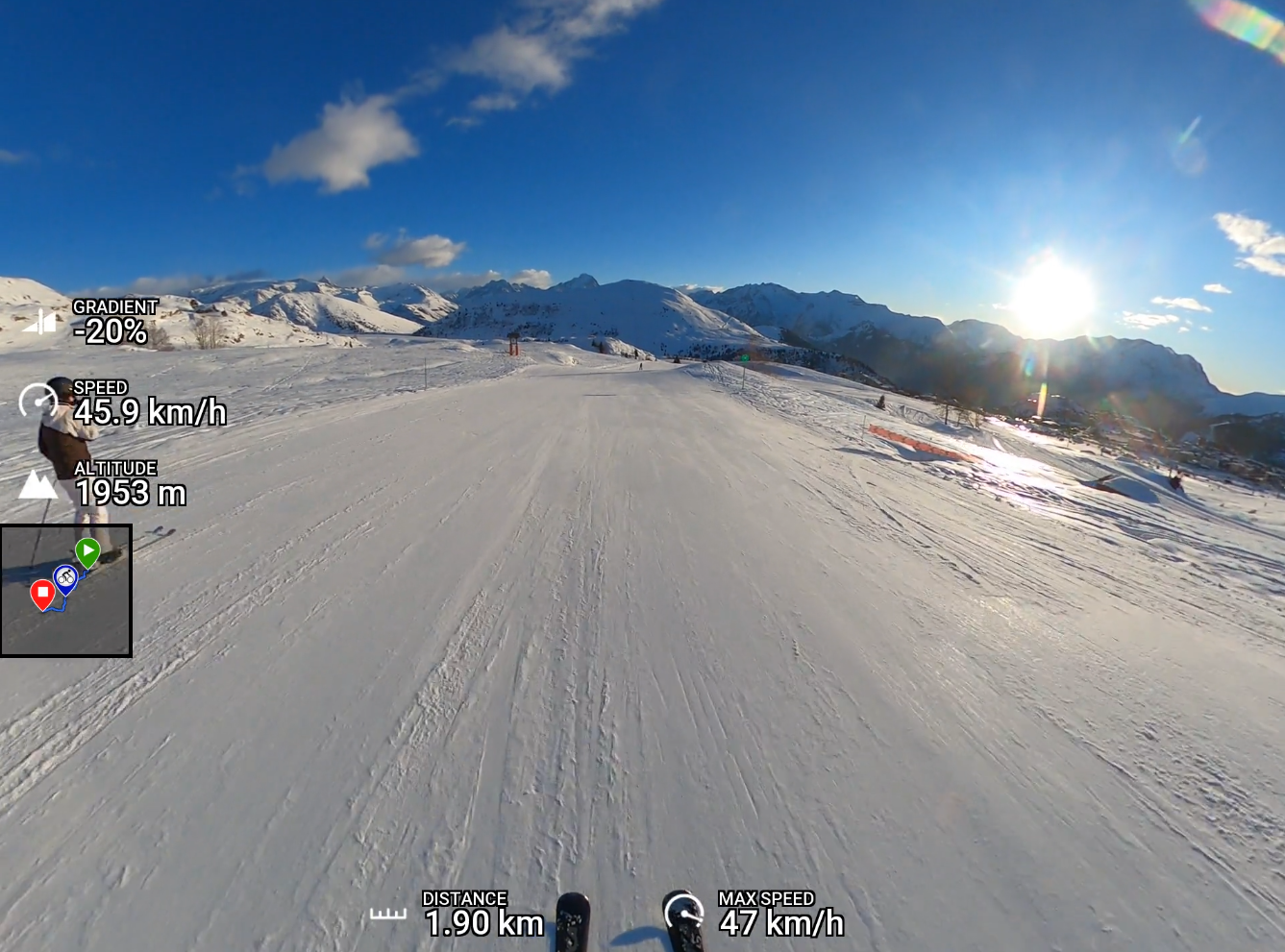
If you like statistics, then you may want to add an overlay to your videos, adding statistics such as your speed, altitude, gradient. The way I've been doing it is using gpx2video. It's very simple to use, however it does take a while to render.
You can extract the GPX data with:
./gpx2video -m MP4_joined.MP4 -o gpxdata.gpx --extract-format=3 extract, and then to add the
overlay run:
./gpx2video -v -m GH010139.MP4_joined.mp4 -g gpxdata.gpx -l layout-1920x1080.xml -o output.mp4 video.
Here's a still image from a video I created earlier: